SEO Tools Explained: Free vs. Paid, and What Each One Actually Does
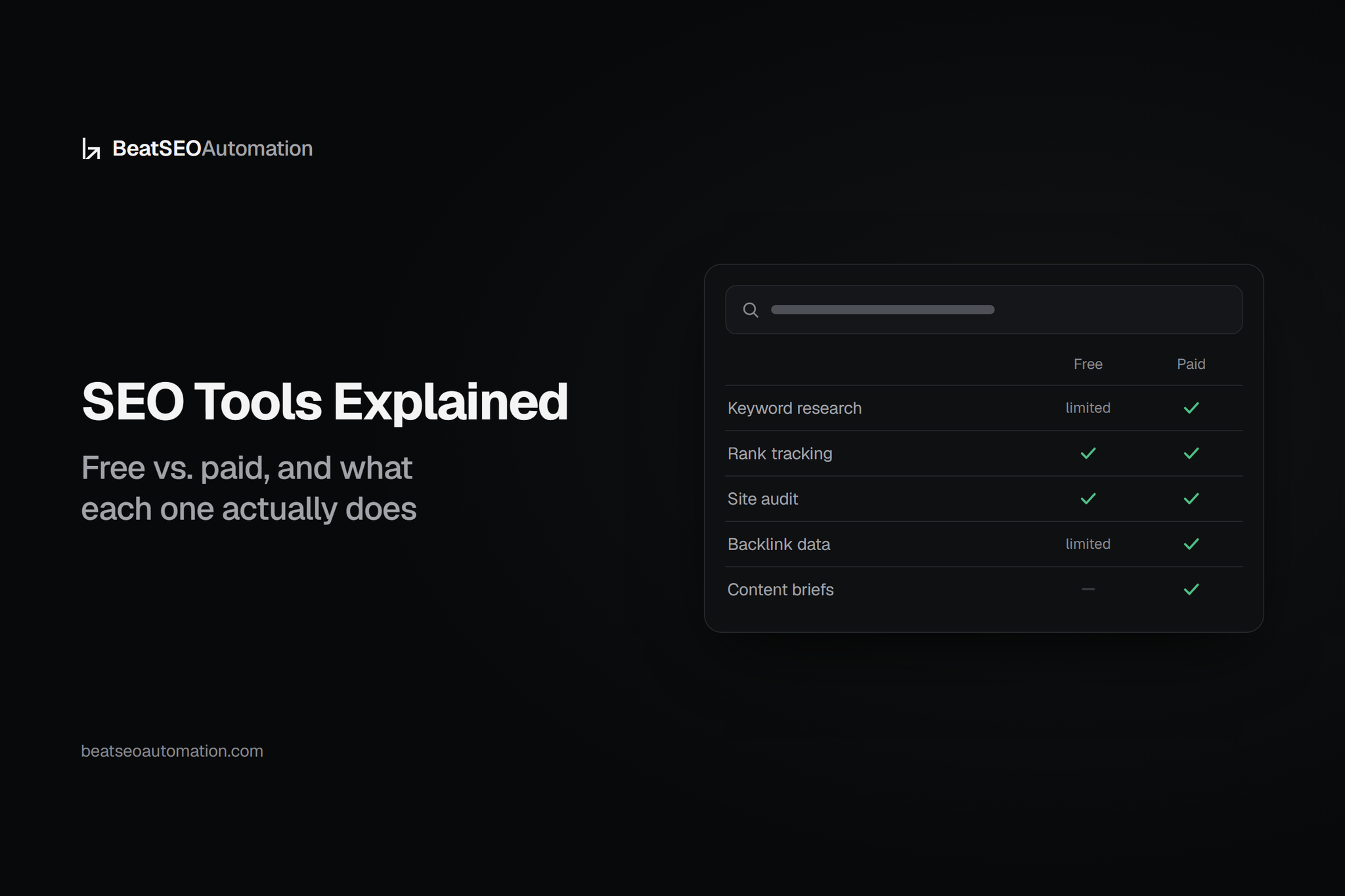
SEO tools are software built to handle one or more of five core jobs: keyword research, rank tracking, site audits, on-page optimization, and backlink analysis — and no single tool, free or paid, does all five well. The real decision isn't "free vs. paid," it's which job you're trying to solve and whether you need the data badly enough to pay for speed and depth.
Most roundups you'll find on this search are either Reddit threads recommending a personal stack or vendor blogs ranking their own suite first. Neither tells you where the free tier genuinely stops being enough. Here's the honest version.
The Five Jobs SEO Tools Cover
- Keyword research — finding what people search and how often.
- Rank tracking — monitoring where you sit for those terms over time.
- Site audits — catching crawl errors, broken links, speed issues.
- On-page optimization — scoring content against what's already ranking.
- Backlink analysis — seeing who links to you and your competitors.
Free and paid tools split cleanly along these five lines, which is why "just buy the best SEO tool" is the wrong question. Most SEO tool comparisons treat the category as one tool doing one job; in practice, teams typically combine two or three specialized tools to cover all five.
The Free Tier Reality Check
Google Search Console, Google Keyword Planner, and Bing Webmaster Tools cover a legitimate chunk of the stack at zero cost — but each has a hard ceiling.
Where the limits show up
According to Google's own Search Console documentation, the tool retains only 16 months of historical performance data, which makes long-term trend analysis and seasonal comparisons difficult once you're past that window. According to Google's Keyword Planner help documentation, search volume is shown as a rounded range rather than an exact figure for accounts without active ad spend — fine for rough prioritization, not for forecasting.
Bing Webmaster Tools adds crawl and index data but doesn't track competitor rankings at all. For a solo operator checking indexing and basic query data, these three tools are genuinely enough. For anyone running competitive research or multi-site tracking, they're a starting point, not a system.
Paid Tools by Job
Once you need competitive depth, paid tools earn their price in specific lanes:
- On-page scoring — tools like Surfer grade content against top-ranking pages for a target keyword. We've broken down exactly what Surfer does and doesn't finish for you.
- Keyword and competitive research — Ahrefs and Semrush pull volume, difficulty, and competitor gap data Search Console can't surface.
- Rank tracking — dedicated trackers automate the daily-position checks that free tools make you do manually; see our breakdown of how to read rank tracker numbers that actually matter.
- Backlink analysis — paid crawlers refresh link indexes far faster and deeper than anything free.
The Hidden Cost Nobody Lists
Here's the part every tool comparison leaves out: every tool on this map, free or paid, gives you data. None of them write, approve, or publish the content. Someone still has to turn a keyword list into a draft, get it reviewed, format it for WordPress, and ship it — every week, indefinitely. That labor cost is the real line item buried in every "best SEO tools" post, and it's why teams that buy five tools often still publish nothing for months. We've seen the same gap play out with plugins — see our All in One SEO plugin vs. managed content comparison.

When to Stop Buying Tools and Buy Outcomes
If you're a solo site owner checking indexing once a month, the free stack is genuinely enough. If you're assembling four subscriptions and still not publishing consistently, the bottleneck was never the tool — it was the research-to-published-post pipeline. That's the gap a managed content service closes: keyword research, drafting, and publishing handled for you, with reporting a non-marketer can read, instead of another dashboard to log into. See how this compares across SEO automation tools vs. a done-for-you content service.
Frequently asked questions
What are SEO tools?
SEO tools are software that handle one or more of five core jobs — keyword research, rank tracking, site audits, on-page optimization, and backlink analysis — with most tools specializing in one or two of these rather than covering all five.
What are the best free SEO tools?
Google Search Console, Google Keyword Planner, and Bing Webmaster Tools cover indexing, basic keyword volume, and crawl data at no cost, though Search Console limits historical data to 16 months according to Google's own documentation.
Do I need paid SEO tools?
Only if you need competitive depth — multi-site rank tracking, backlink indexes, or on-page scoring against competitors — that free tools don't provide; a solo site checking basic indexing can often rely on free tools alone.
Can one SEO tool do everything?
No single tool reliably covers all five core jobs — keyword research, rank tracking, audits, on-page optimization, and backlink analysis — well; most SEO stacks combine two or three specialized tools instead.
Why do I still need content help if I already have SEO tools?
Tools surface data — keywords, scores, gaps — but someone still has to draft, review, format, and publish content consistently, which is the step most tool stacks leave unsolved.
Is Google Keyword Planner accurate for keyword volume?
It's directionally useful but imprecise: per Google's Keyword Planner documentation, volumes are shown as rounded ranges rather than exact figures unless you have active ad spend.