Website SEO Checker: How to Audit Your Site (and What to Fix First)
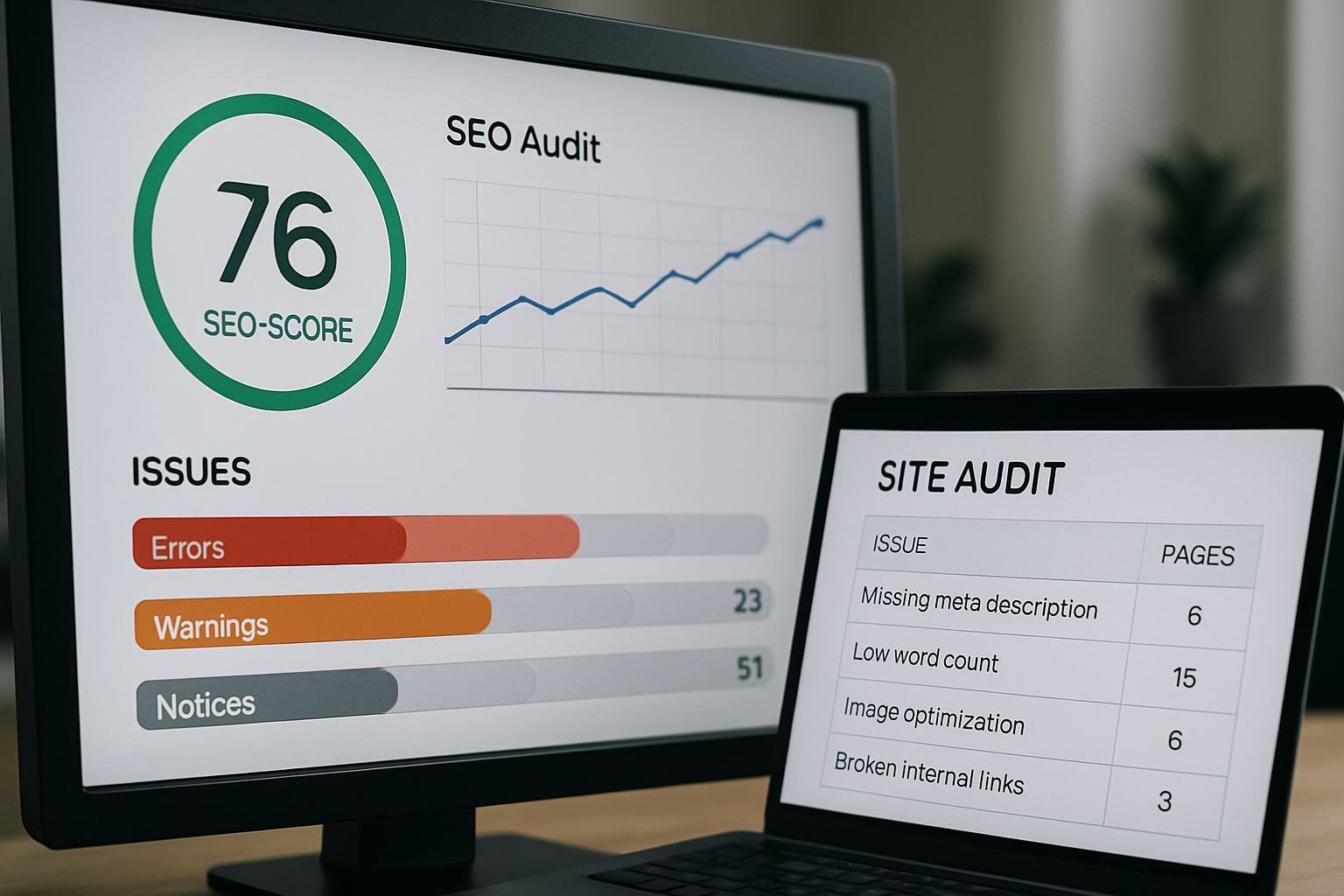
A website SEO checker is a tool that scans your site against the technical, on-page, and content signals search engines use to rank pages — things like title tag length, content depth, page speed, and broken links — then returns a report flagging what's likely holding you back. Running the scan takes minutes; knowing what to fix first is where most site owners get stuck.
That's the gap this guide closes. We'll walk through what these scans actually measure, how to read the flags without panicking, and how to turn a list of issues into a prioritized content roadmap instead of a to-do list that never gets done.
What a Website SEO Checker Actually Scans
Most free and paid checkers evaluate three layers of your site:
- Technical health — crawlability, page speed, mobile rendering, broken links, and indexing status.
- On-page signals — title tags, meta descriptions, header structure, and internal linking.
- Content quality — word count, keyword relevance, and readability.
According to Google's own Search Central documentation, title tags and meta descriptions are used as ranking and display signals, but Google may rewrite them in search results if they don't accurately represent the page — which is why checkers flag titles that are too short, too long, or duplicated across pages. A checker doesn't tell you why a page underperforms; it tells you where to look next.

Interpreting On-Page Scores and Common Flags
Audit tools love to hand you a single score out of 100, but the flags underneath matter more than the number. The three you'll see most often:
- title_too_short — under roughly 30 characters, a title tag rarely contains enough descriptive keyword context for search engines or users to judge relevance at a glance.
- low_content_rate — the ratio of visible text to page code is too low, often a sign of a thin or template-heavy page.
- low_character_count — the page simply doesn't have enough substantive content to answer the query it's targeting.
If you want a deeper read on what your ranking numbers actually mean once you start tracking movement, our guide on reading ranking checker tools breaks down the metrics beyond the audit stage.
Why Thin Content and Short Titles Matter
Thin content and short titles are two symptoms of the same root cause: pages built for a checklist, not for a searcher's intent. A title like "Services" tells a search engine almost nothing about what the page covers. A page of roughly 150 words can't cover a topic with the depth that competing, ranking pages typically do. Neither issue is a quick metadata fix — both usually require rewriting the page around the query's real intent.
How to Prioritize Fixes by Impact
Not every flag deserves the same urgency. A practical order:
- Indexing and crawl errors first — if a page can't be found, nothing else matters.
- High-traffic pages with content flags — fixing thin content on a page that already gets visits compounds faster than fixing an orphan page.
- Title and meta issues site-wide — often batchable and quick to resolve.
- Low-priority pages — address last, or consider consolidating them.
For smaller sites without a dedicated SEO hire, our SEO tips for businesses without an SEO team covers how to run this triage on a limited budget, and 12 practical SEO tips you can ship this week has quick wins you can act on immediately.
Turning Audit Findings Into a Content Roadmap
An audit is a snapshot, not a strategy. The real value comes from converting each flag into a content decision: does this page get rewritten, expanded, merged, or removed? Group flagged pages by topic cluster rather than fixing them in isolation — a batch of thin blog posts on related keywords is often better solved with one comprehensive rewrite than five patchy edits.
How Managed Content Prevents Issues From Recurring
Here's the pattern we see constantly: a site runs an audit, fixes the flags, and months later the same issues — thin pages, stale titles, low content depth — creep back in because nobody owns the process on an ongoing basis. That's the exact gap done-for-you content closes. Instead of running periodic audits and scrambling to fix what surfaces, a managed content pipeline researches keywords, drafts full-length pages with proper title and content depth built in from the start, and publishes on a schedule — with you reviewing before anything goes live.
If you're comparing whether to keep running checkers manually or hand the ongoing work to a service, our breakdown of SEO automation tools vs. a done-for-you content service lays out the tradeoffs plainly.

A website SEO checker tells you what's broken today. A content plan keeps it from breaking again next quarter — turn your audit into a done-for-you content plan and get started.
Frequently asked questions
What is a website SEO checker and what does it scan?
A website SEO checker is a tool that audits your pages against technical health (crawlability, speed, broken links), on-page signals (titles, meta descriptions, headers), and content quality (word count, keyword relevance), returning a report of flagged issues in each category.
What does the 'low_content_rate' flag mean in an SEO audit?
It means the ratio of visible text to underlying page code is too low, which usually signals a thin or template-heavy page that doesn't offer enough substantive content for the topic it targets.
Why does a website SEO checker flag short title tags?
A title under roughly 30 characters often lacks enough descriptive context for search engines and users to judge the page's relevance, and per Google's Search Central documentation, Google may rewrite it in search results if it doesn't clearly represent the page.
Which SEO checker flags should I fix first?
Start with indexing and crawl errors since unindexed pages can't rank at all, then fix content issues on high-traffic pages, followed by site-wide title and meta problems, and finally low-priority pages.
Why do the same SEO issues keep showing up after I fix them?
Without an ongoing content process, new pages and edits tend to repeat the same shortcuts — thin copy, generic titles — that caused the original flags, which is why a managed, recurring content workflow prevents recurrence better than a one-time cleanup.